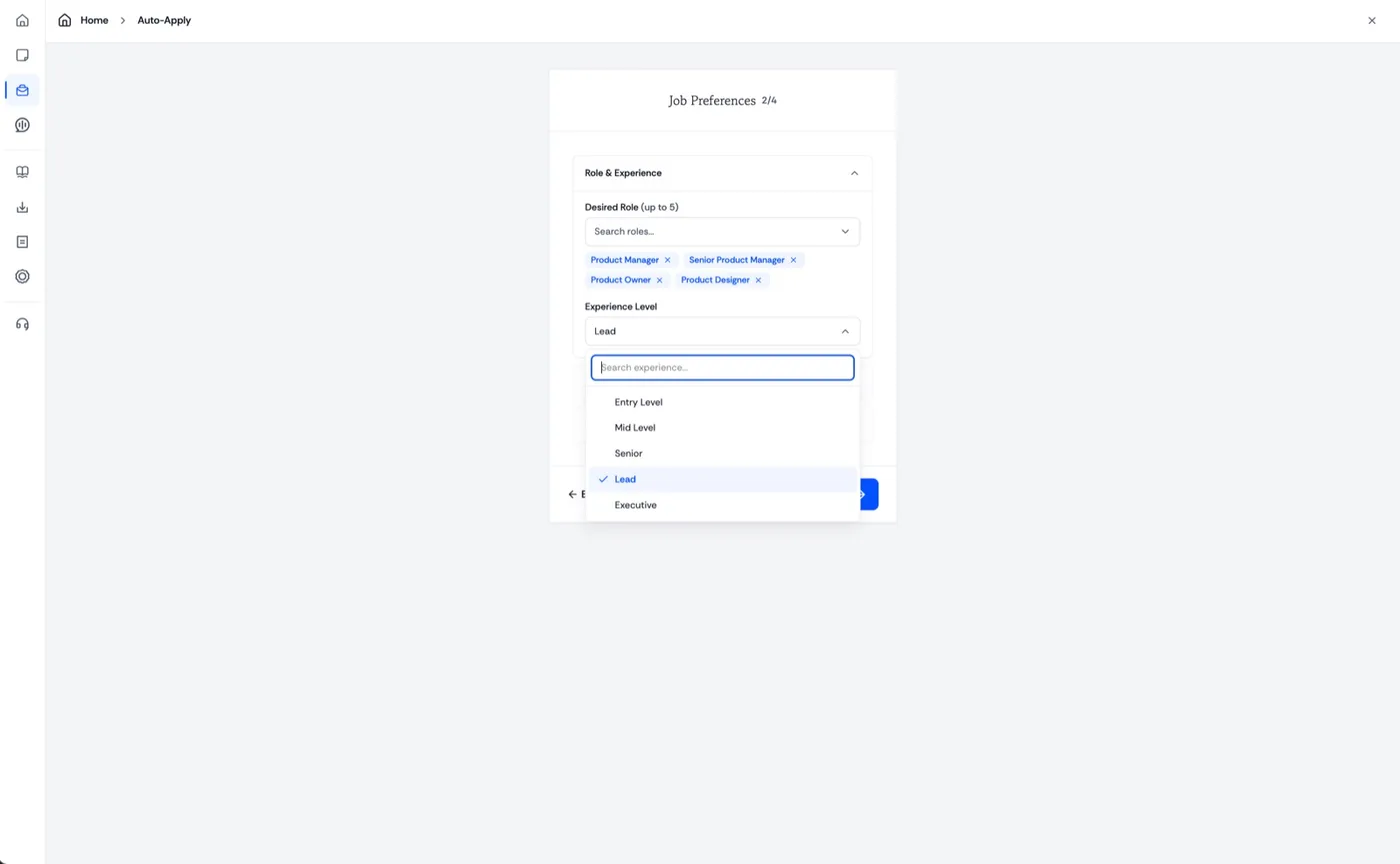
Tell it what you want Set your job preferences.
Up to five target roles, the level you are after, and everything else about the job you want to land.
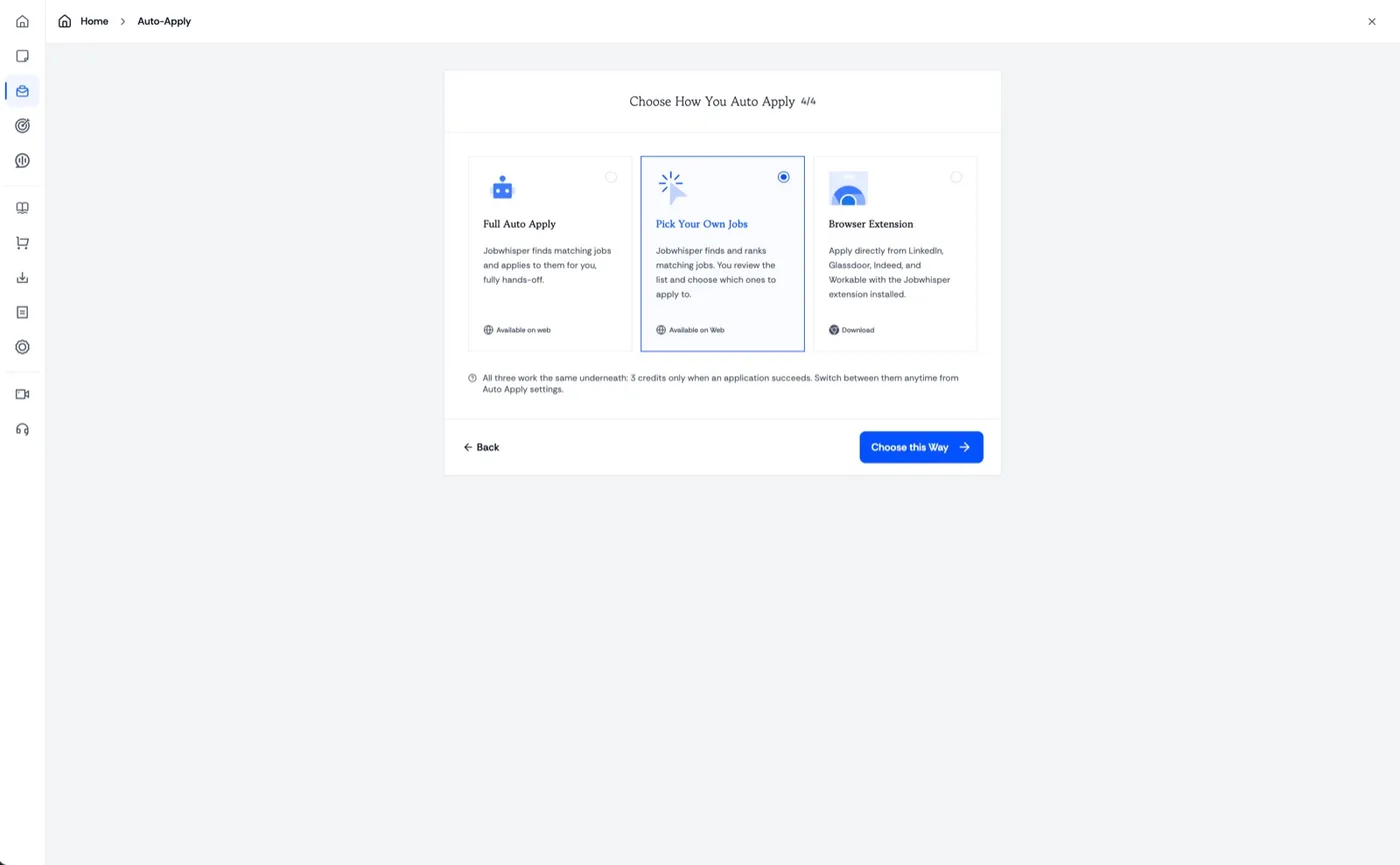
Three ways to run it We apply, or you pick.
Let it apply hands-off, review a ranked list and choose yourself, or download the extension and apply from the boards.
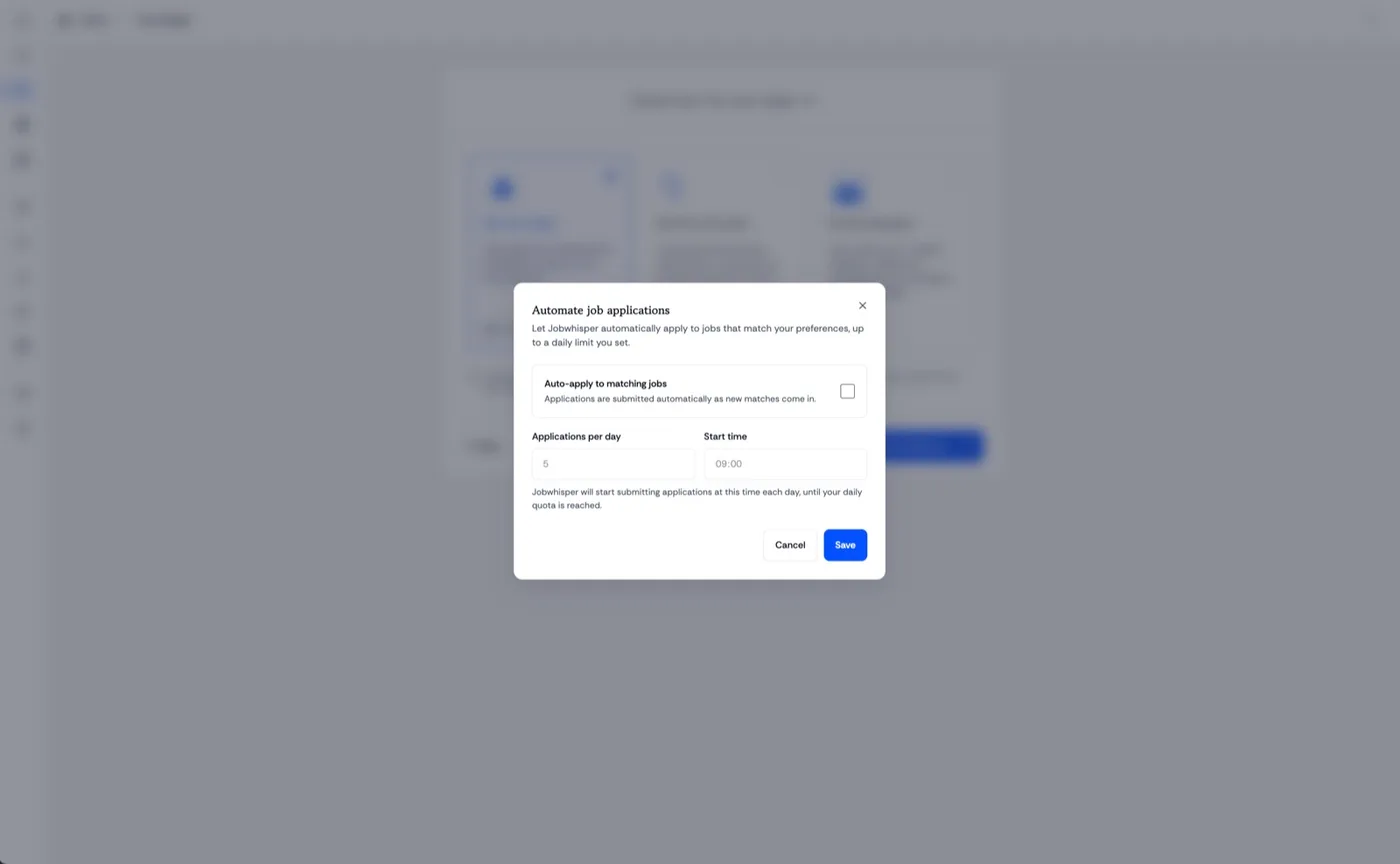
Set it running Automate your applications.
Choose how many go out each day and when they start. Jobwhisper works to that quota and then stops.
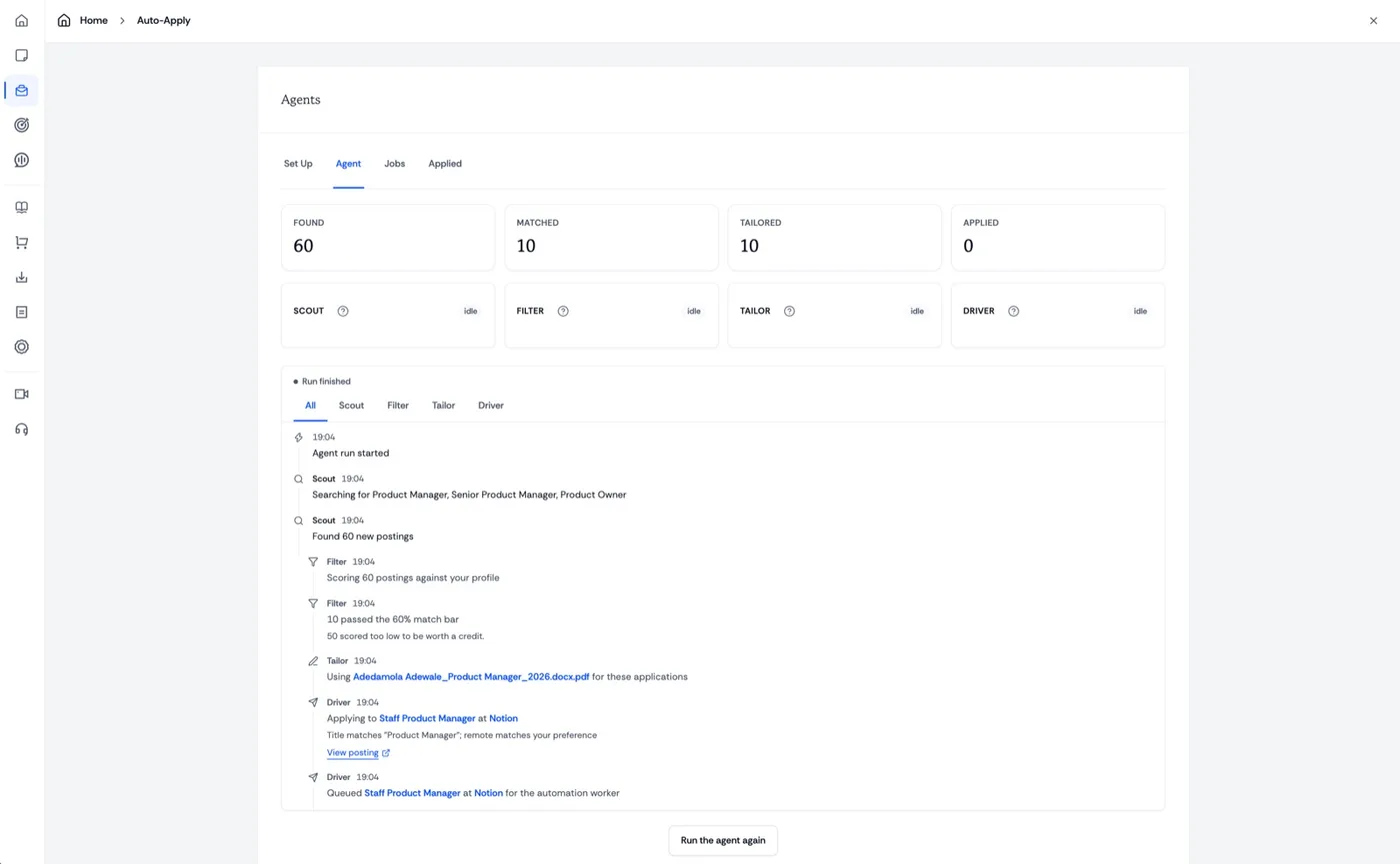
The agents Scout, filter, tailor, apply.
Four agents run in order. Scout finds postings, Filter scores them against you, Tailor prepares the resume, Driver applies.
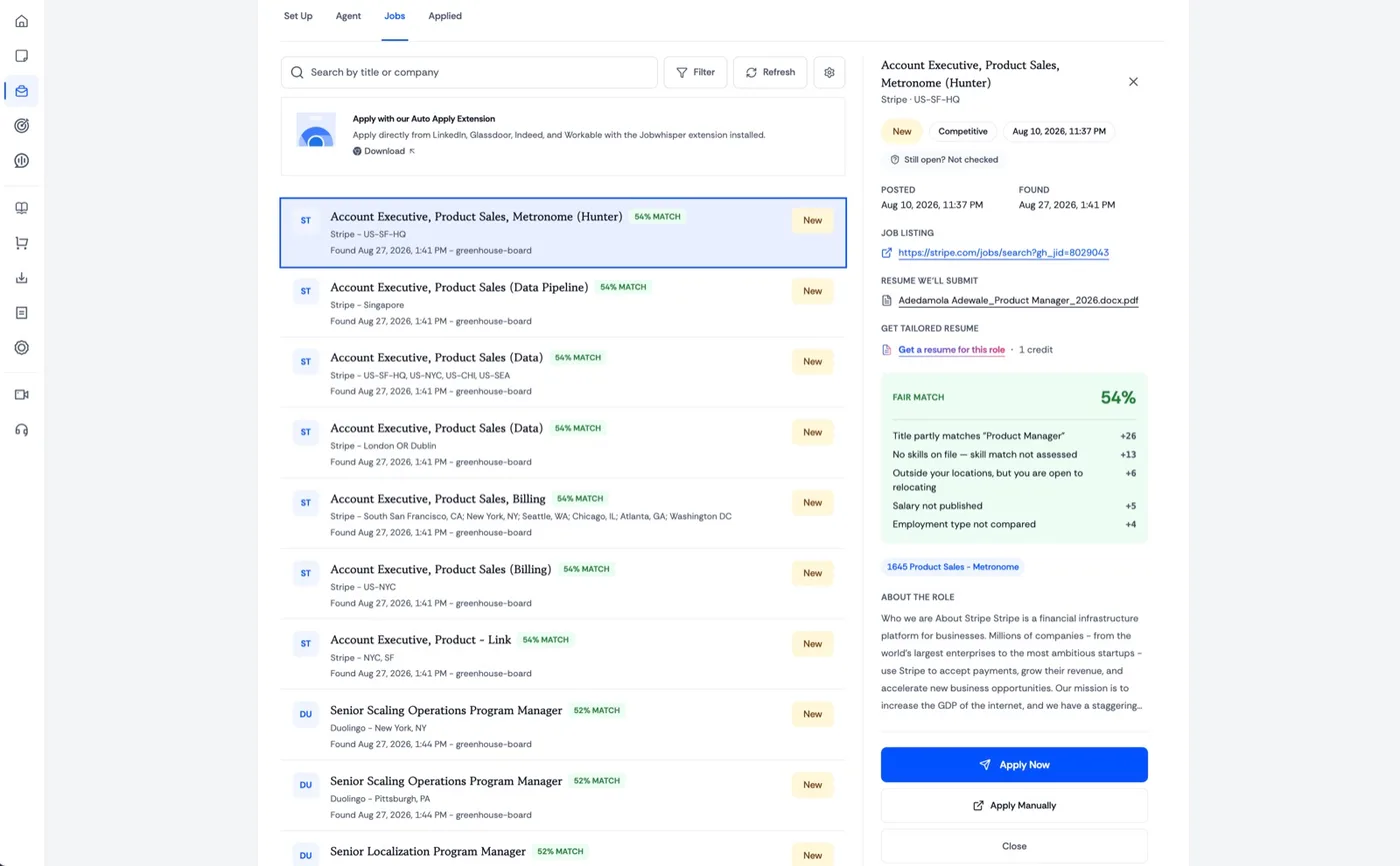
Pick the good ones See why each job scored.
Every match shows how it was scored and which resume goes out. Apply to the ones you score highest against.
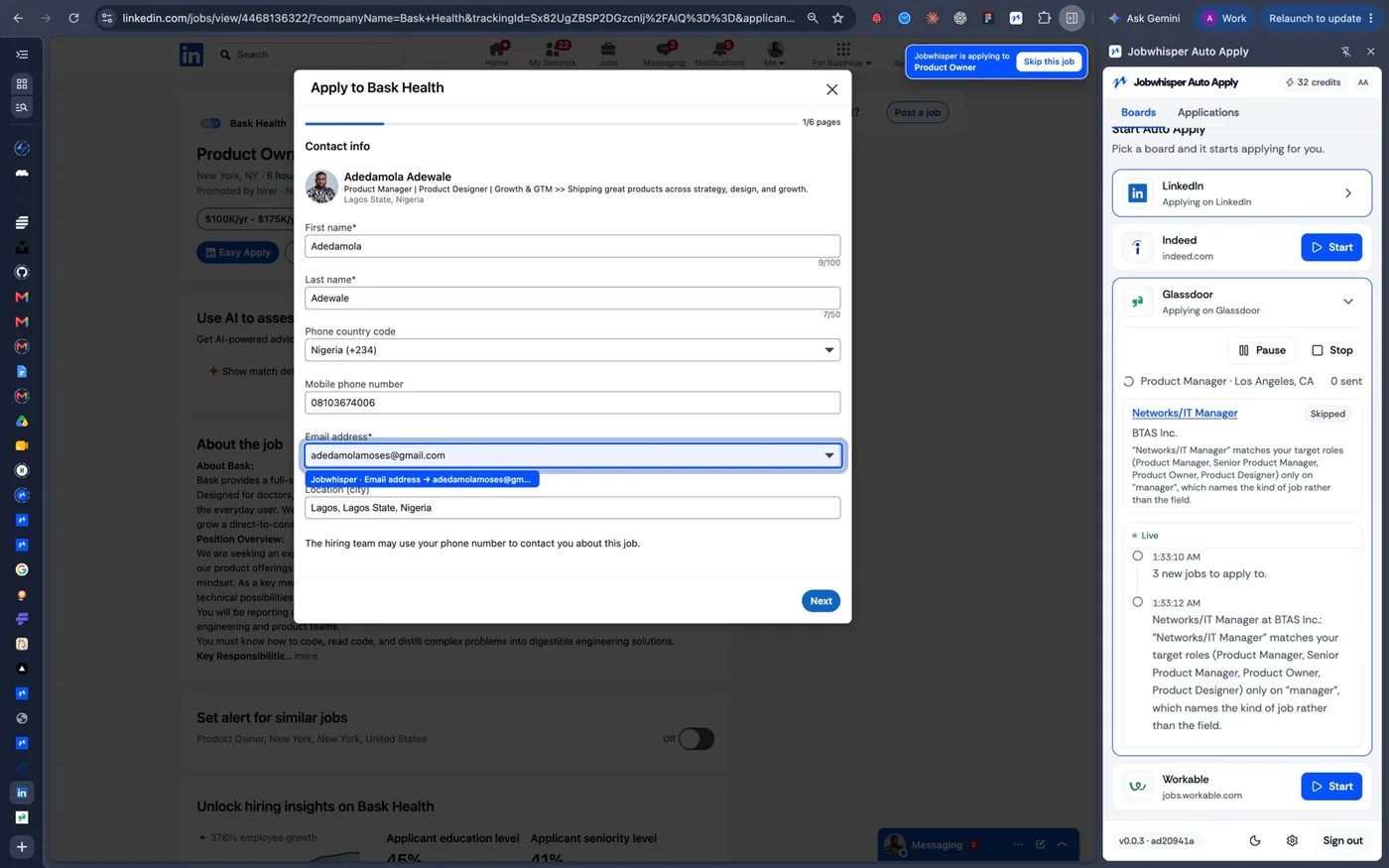
On the boards Applies on LinkedIn and more.
The extension applies directly on LinkedIn, Glassdoor, Indeed, Workable and any other easy-apply board.
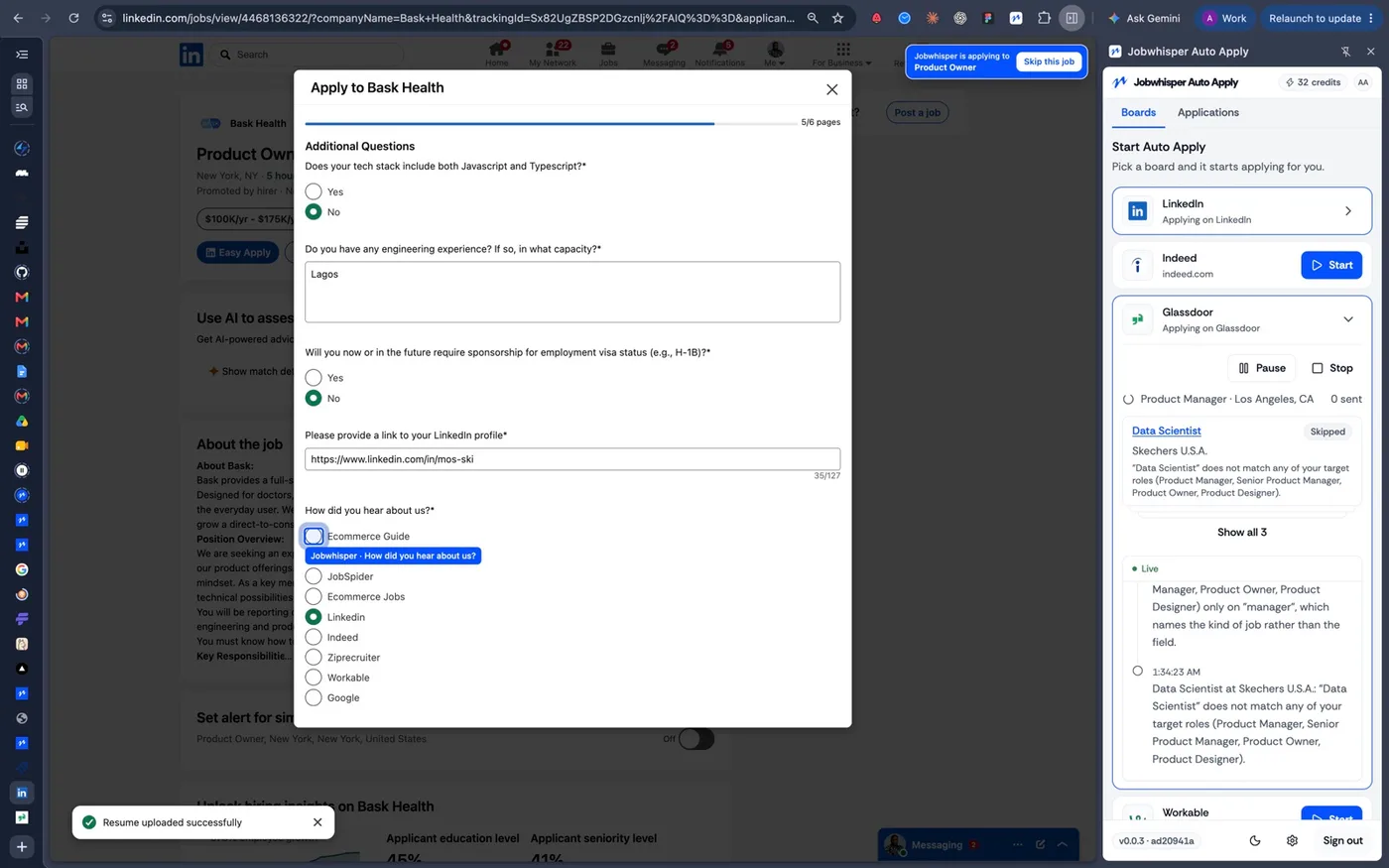
The hard questions It handles the screeners.
Sponsorship, tech stack, how you heard about the role: answered from your profile instead of typed out again.
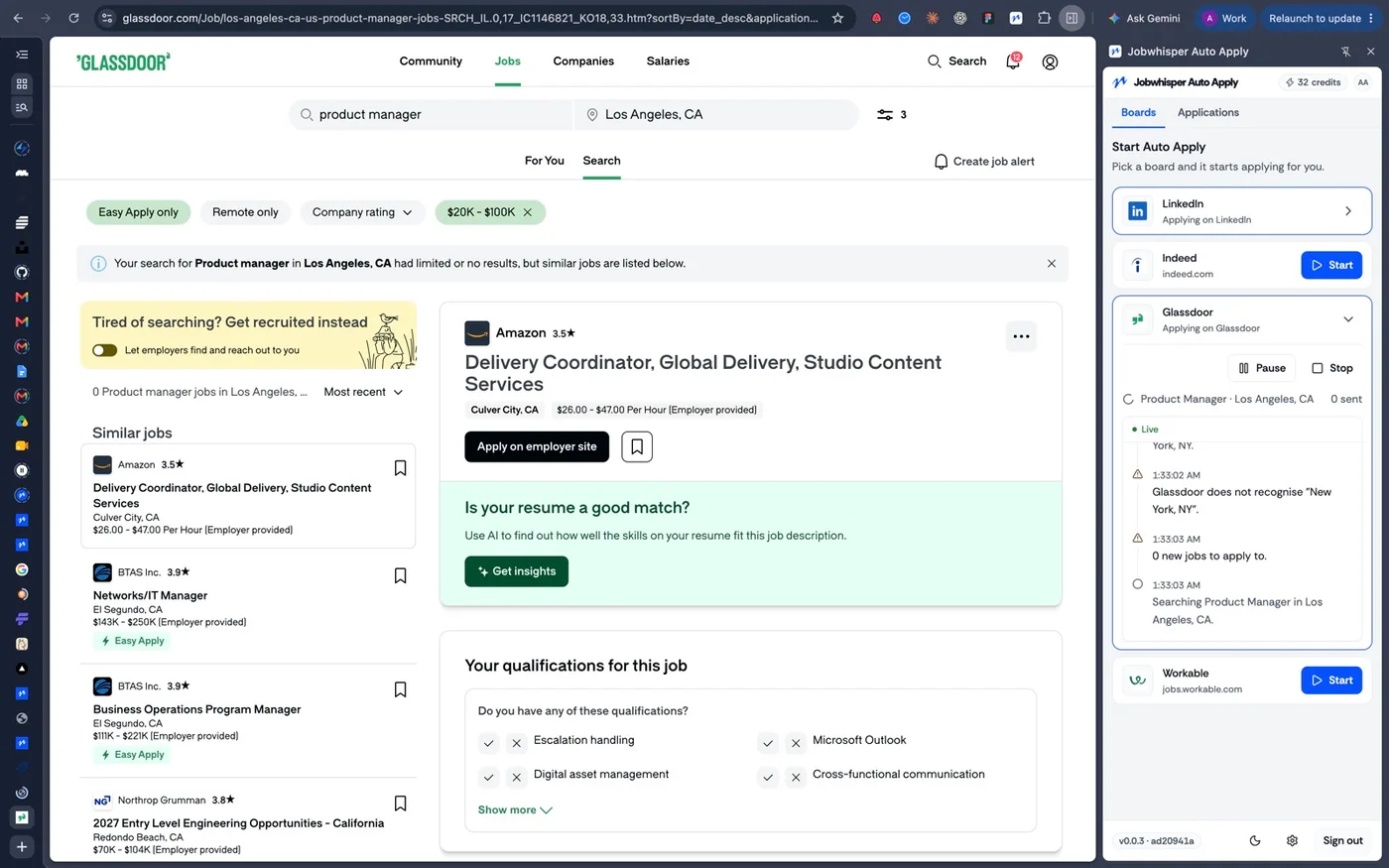
Full history See how each one was answered.
A live feed of every application: what was searched, what went out, how it was answered, and what was skipped.
Does Auto Apply send every application automatically? +
No. You choose the application method and how much review you want before submission.
How are jobs matched? +
Matches use your target roles, experience, salary, location, seniority, and work preferences.
Can I see what was submitted? +
Yes. The application timeline shows the role, materials, status, and recorded activity.
Can I review a job before applying? +
Yes. Open every match, understand why it fits, and approve or dismiss it before moving forward.
Will it tailor my resume? +
Yes. Jobwhisper can prepare a role-specific version while keeping your experience and facts accurate.
What happens when an application needs attention? +
The application pauses with a clear status so you can answer a new, ambiguous, or sensitive question yourself.